My role
I led the education program: finding where organizations stalled, designing and producing the guidance across video, Academy, in-app, and live webinars, and analyzing the results.
The problem
Embedded Studio lets nonprofits place a donation form on their own website. Interest was strong, but only about a third of the organizations that created an embedded campaign went on to collect a donation with it.
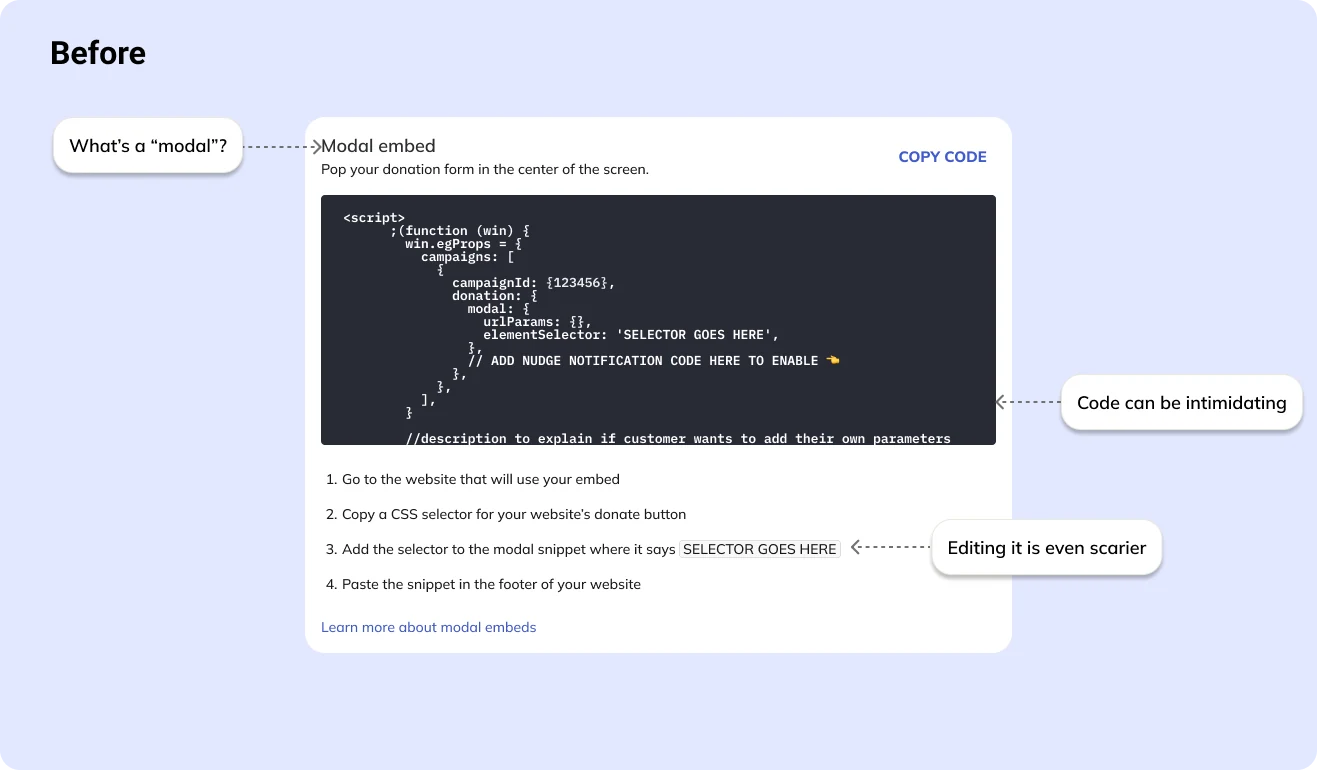
The drop-off came after publishing. To install the form, admins had to edit code on their own website — something many had never done.
What I did
- Found the stall point. Usage data showed organizations publishing and then stopping before installation. The barrier was a knowledge gap, not a product bug.
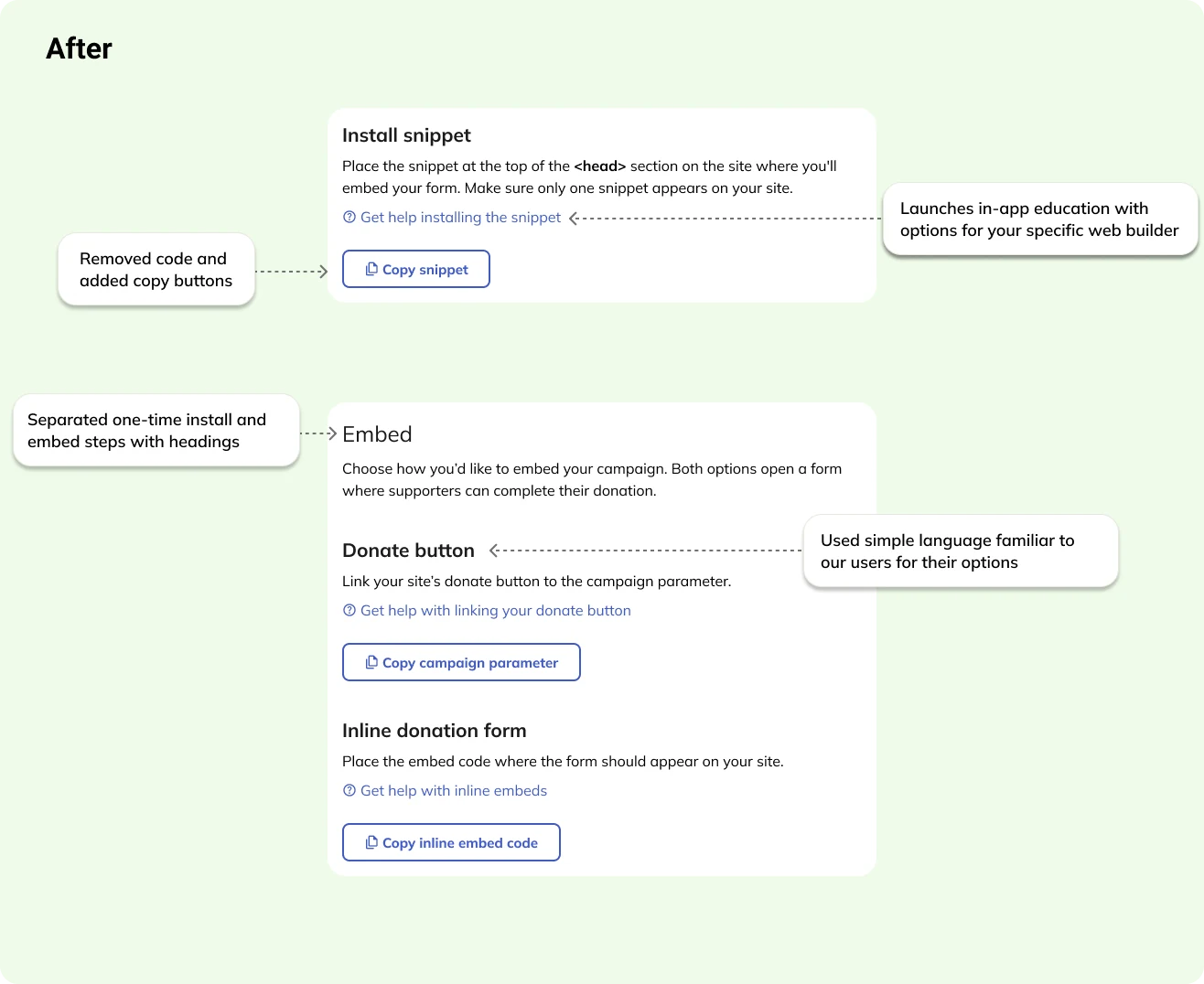
- Rewrote the Install page and pushed for more. As the content designer, I replaced raw code with copy buttons and plain-language steps, and pushed for more ways for admins to customize their form. When that was cut for time and budget, I proposed an education pilot instead.
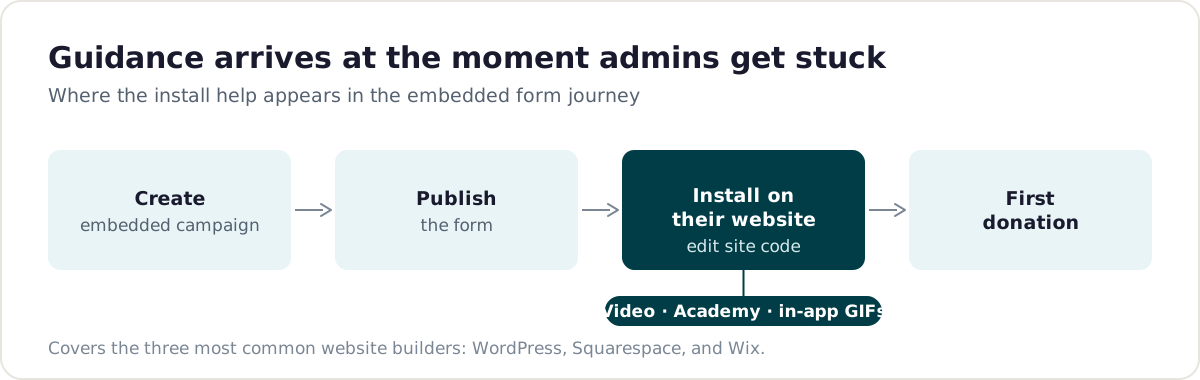
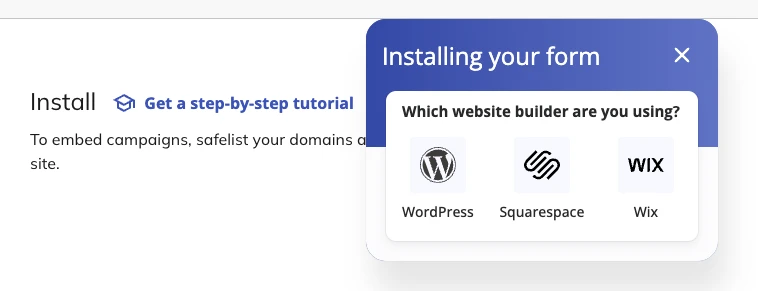
- Taught code editing at scale. I prioritized the three most common website builders — WordPress, Squarespace, and Wix — and made a video for each, an Academy walkthrough, and in-app walkthroughs using GIFs cut from those videos. One production effort fed three channels.
- Taught the hardest steps live. Because installation was the most technical part of setup, I hosted webinars that walked admins through it and answered their questions as they went.
- Put help at the moment of need. The in-app guides appeared right after publishing, when installation was the admin’s next task. A launcher on the Install page let admins pick their website builder and start the matching walkthrough at any time.
- Measured activation, not clicks. I compared organizations that used a guide with those that didn’t, on the outcome that mattered: their first donation.
Results
Over a 90-day window:
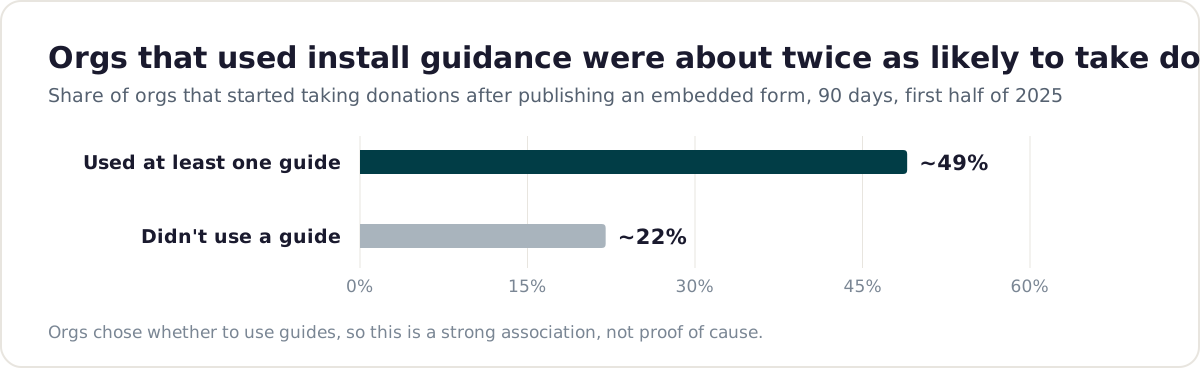
- Organizations that used at least one guide were about twice as likely to start taking donations (roughly half, versus about a fifth).
- Their median time to first donation was about 4 days faster (12 days down to 8).
- About 3 in 4 organizations that published used at least one guide.
- Short, single-task guides performed best. The Wix guide reached few organizations with no clear benefit — a reminder to keep checking reach after launch.
This compares organizations that chose to use guides with those that didn’t, so motivated organizations may be overrepresented. It’s a strong association, not proof of cause.
What’s next
We’re now improving the install experience in the product itself, building on what the pilot showed about builder-specific help.
What I learned
Timing beat volume. Help that arrived right after publishing — when the admin’s next job was installing — did more than any broad announcement could.